
Blog · AI
Relume: The Ultimate AI Tool for Web Design?
On this page
Discover how Relume AI generates sitemaps, pages, and wireframes in an instant. Learn if this AI tool can truly speed up your web creation process.
Today, you can generate a site plan, sitemaps, wireframes, and even the main sections of a website in minutes using AI. Relume promises exactly that. But does this tool really deliver for serious projects on Webflow, Figma, or another builder?
Relume: The Ultimate AI Tool for Web Design or Just Another Builder?
Relume is an AI tool designed to speed up the creation of sites, pages, and sections without locking you into a closed builder. The idea is simple: you keep your Webflow, Figma, React, or other stack. Relume integrates with it to generate a sitemap, a plan, wireframes, components, and copy much faster than starting from a blank page.
The tool isn’t trying to replace Webflow or Figma. It acts as an additional layer on top of your current workflow. You retain full control over the design, classes, style guide, code, and final results. Relume simply saves you hours on structuring and section design.
Relume in 2 minutes: What the AI tool generates for your sites
Before diving into the details, what really matters to an SME or similar business is simple: What exactly does Relume generate for your web project and client pages?
Relume Site Builder: The AI Core of Your Workflow
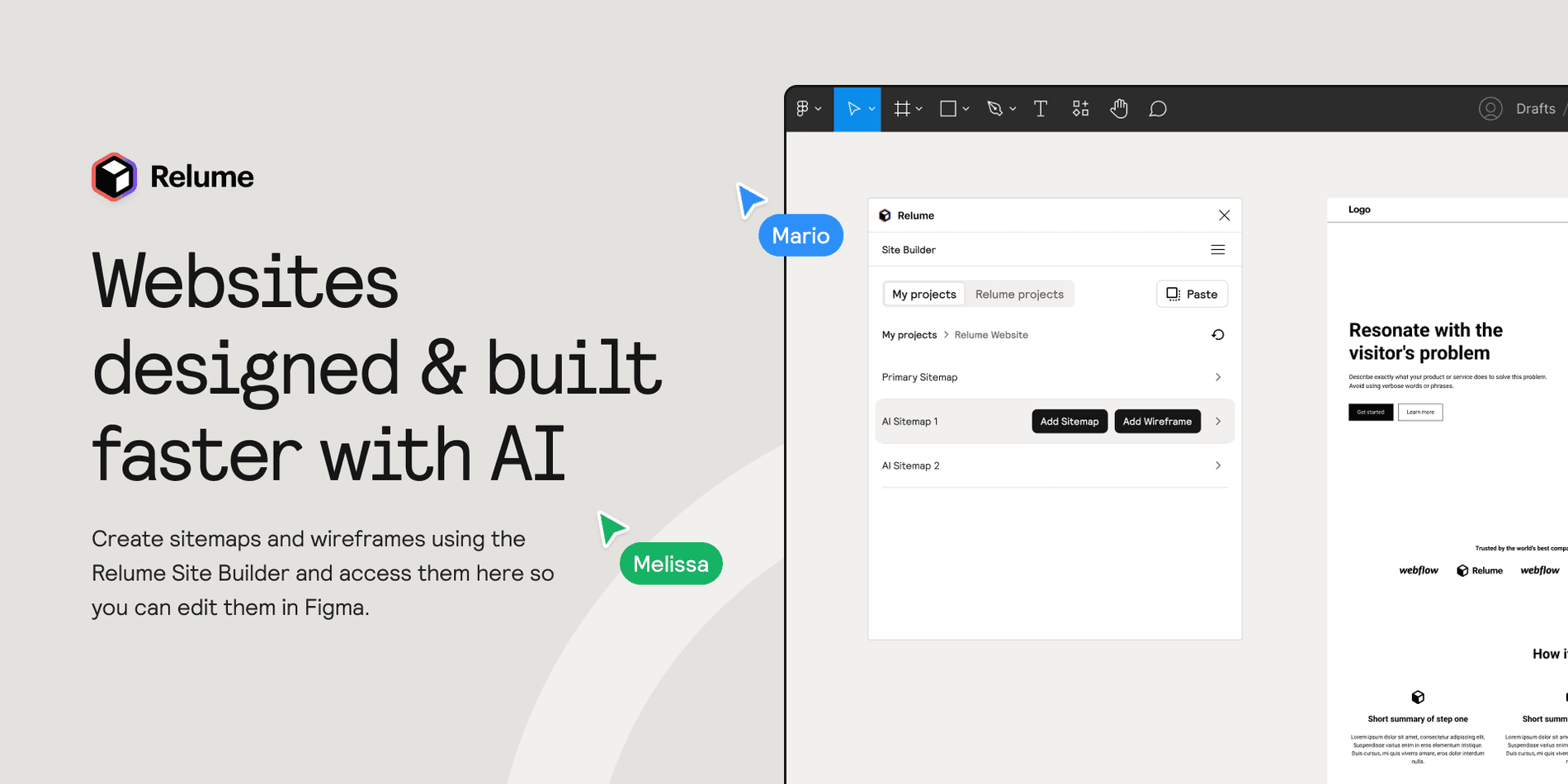
At the heart of Relume is the Site Builder. You describe your project in a prompt, explain your business, audience, offerings, and positioning. The AI analyzes this information and generates a complete site plan.
You get a structured sitemap with key pages: homepage, service pages, pricing page, blog, resources, contact. For each page, Relume suggests typical sections: hero, social proof, benefits, features, content sections, FAQ. This plan is visual, easy to read, and you immediately see how the site will tell your product’s story.
The Site Builder doesn’t stop at the plan. It also generates wireframes for each page. You see the blocks, sections, and content order. It’s like a low-fidelity mockup you could create by hand in Figma, except you get it in minutes. Before you know it, you have a structured project.
Relume Library: Ready-to-Use Web Component Library for Webflow, Figma, React
The second major feature is the Relume Library. It’s a library of reusable components and sections. This library covers most of the standard needs for a marketing site.
You’ll find hero sections, feature blocks, comparisons, card grids, blog sections, forms, pricing tables, FAQs, and footers. The designs are built for the modern web, with clean styles and well-structured classes.
You can use the library in Webflow thanks to a pre-built project base. You can also access these components in a Figma kit or a React kit if your team is developing a custom frontend. This way, you build pages by selecting existing sections instead of redesigning everything from scratch each time.
Relume goes further with "Your Library." You can save your own components, style guide, and sections. You maintain your design standards, classes, and visual language. The tool then becomes an accelerator aligned with your brand, not just a generic catalog.
-1-1900x1163.png&w=2048&q=75)
Relume library
The Relume ecosystem: plugins, extensions, import, export
Relume isn’t a standalone tool. It integrates with your current web stack through multiple technical components.
There’s a Figma plugin to import sitemaps, wireframes, pages, and sections generated in the Site Builder directly into Figma. You can then refine the design, polish the copy, and finalize your kit.
There’s also a ready-to-use Webflow Library. You can import components into your project, maintain clean class logic, and rely on a consistent style guide. The goal is clear: minimize code issues, duplicate classes, and the quick fixes often seen in rushed Webflow projects.
The Relume Chrome extension ties it all together. It lets you manage imports, class syncing, and certain settings directly in the Webflow builder. This way, you maintain the link between your library, your live site, and the components you’ve selected in the library or in "Your Library".
Finally, Relume offers export options for React or other front-end environments. You can keep the same sitemap, sections, and structure even if you decide to move away from Webflow for certain projects.
Since this article was published, the ecosystem has gained two building blocks that widen the tool's scope. The React Library now offers more than 1,000 ready-to-use React components, and an MCP Library exposes the full component library directly inside an AI-assisted editor, over the Model Context Protocol. In practice, a team working in Cursor or Claude Code can query the library without going through the web interface. Product details: Relume's pricing and product page.
Is Relume right for your web project?
You don’t need Relume for every site. But in some cases, the tool can transform your creation process.
What types of projects and sites is Relume best suited for?
Relume excels with marketing sites, think B2B SaaS, startups, tools, agencies, or e-commerce brands that need a solid content site. The need is clear: multiple pages, a coherent structure, clean sitemaps, and a readable layout.
For very simple one-page showcase sites, the tool adds less value. For large, highly customized projects with advanced design systems and strict code constraints, it mainly serves as a starting point. You’ll use the sitemaps and wireframes as raw material for the design work.
Profiles that benefit the most from Relume
Webflow designers managing multiple projects at once save a lot of time with Relume. The AI builder generates the structure, wireframes, and part of the copy. They can then focus on pure design, the style guide, code quality, and animations.
Figma designers who often frame projects before handing them off to a dev team also gain a lot. Instead of manually drawing dozens of wireframes, they use the Site Builder’s output as a foundation. They then retain control over the Figma library, components, variants, and kits.
For an SME founder or marketing manager, Relume is mainly useful for clarifying the plan. You can prepare your sitemap, pages, and sections even before choosing an agency. You arrive with a clear vision of your site, which designers and devs can then validate, refine, and enrich.
How Relume works: from AI prompt to site in Webflow or Figma
Now let’s see how a typical project with Relume unfolds, from the first prompt to import in Webflow or Figma.
Step 1: Generate a sitemap with Relume AI
It all starts with a prompt. You describe your project, your offerings, your audience, and your conversion goals. Relume may ask a few follow-up questions to clarify certain points. Then, the AI generates a sitemap.
This sitemap looks like a highly detailed site plan. You see all the pages, the menu structure, and the relationships between pages, sites, and sections. You can edit, rename, delete, or add pages. This is the time to clarify your architecture before touching the design.
This step alone is a huge time-saver compared to building a plan in a spreadsheet or text document. You get a clear, editable, and shareable view for your client or team.
Step 2: Generate wireframes and sections for each page
Once the sitemap is validated, you launch the wireframe generation. Relume takes each page and proposes a sequence of sections. For example, for a "Features" page, you might get a hero section, a benefits section, a component grid, a social proof section, and an FAQ.
The wireframes remain style-neutral. The goal is to have a readable and effective structure, not a final design yet. You can reorder sections, delete or add them. You can generate multiple variants of the same page if you want to compare different design options.
This gives you a very concrete plan for the pages. You can see how visitors will move from one section to another. You can already check that key arguments are well-placed. You can also spot gaps and issues in the user journey.
Step 3: copy and style guide generated by the tool
Relume doesn’t just generate gray rectangles. The tool also provides a first draft of the copy. Each section includes headings, subheadings, body text, and CTAs. It’s not final copy, but it’s a solid foundation.
You can edit this copy directly in the interface, adjust the tone, and incorporate your industry-specific vocabulary. You can also use other AI tools to refine the writing further, but the structure comes from Relume.
At the same time, the tool sets up a style guide. You’ll find heading styles, paragraph styles, button classes, and recurring components. In Webflow, this style guide takes the form of a dedicated page with ready-to-use classes. In Figma, it translates into a kit, a library of styles and components.
Step 4: import and sync in Figma, Webflow, React
Once you’re happy with the plan, sitemaps, wireframes, and copy, you move on to importing.
In Figma, you use the Relume plugin to import pages and sections into your file. The wireframes become Figma frames that you can refine, style, and turn into high-fidelity designs. You can connect these frames to your Figma design system, your own kit, and your component library.
In Webflow, you can use the Webflow Library, the Chrome extension, and the import app to inject sections and classes directly into your project. You’ll find the style guide, classes, and library, and you can replace basic blocks with more advanced components. Class sync ensures consistency across multiple projects and between "Your Library" and your different sites.
For a technical team working in React or another frontend framework, you can export the structures to a React kit. The sitemaps, sections, and components serve as a foundation for your in-house builder. This ensures continuity between what you design in Relume and what you develop on the code side.
Relume vs your current stack: Webflow, Figma, other AI builders
Relume doesn’t exist in a vacuum. You need to compare it to your current process to determine if the AI builder is worth the investment.
Relume vs "I do everything manually in Figma"
Without Relume, you start with a text doc or a workshop to create a plan. Then you spend time in Figma drawing wireframes for each page. This work is valuable, but time-consuming. It also depends heavily on your motivation at the time.
With Relume, sitemap and wireframe generation is largely automated. You retain control over the copy, style, and designs. But you no longer spend days creating section grids that look the same from one project to the next. You reclaim that time to focus on design quality and message consistency.
Relume + Webflow vs Webflow alone
With Webflow alone, you can of course build a complete site. But you have to invent the page structure, create the sections, name the classes, and build your style guide, section by section. If you manage multiple projects, the risk is ending up with inconsistent class structures, variably organized pages, and maintenance issues.
By adding Relume, you enter the builder with a clear plan, wireframes, a style guide, and proven components. You retain the freedom to modify, but you start from a solid foundation. Class sync and section imports help maintain clean code, a higher average quality across all your sites, and fewer problems when you revisit a project a year later.
Relume vs other AI web design tools and builders
Other AI tools promise to "generate a complete site" from a single prompt. The problem is that you often end up locked into their builder. It’s then difficult to export, connect the site to your stack, or control the code.
Relume takes a different approach. The AI builder focuses on the planning phase: sitemaps, wireframes, and sections. It then hands off to designers in Figma, integrators in Webflow, and devs in React. For SMEs, startups, or agencies, this approach is often healthier. You retain control while benefiting from faster generation.
That position is shifting. Relume has added a Publish product, in beta, that takes a project live directly, first on a relume.live subdomain and then on a custom domain, with forms, redirects and control over robots.txt and sitemap.xml. The tool no longer merely prepares the ground upstream of Webflow: it now offers to publish as well. For a team that reopens the question of where the site actually lives, and therefore how portable the content is the day you change your mind. Product description: Relume's hosting offer.
How much does Relume cost and how to choose the right plan
Prices change and plans evolve. What matters most is understanding the logic behind these plans.
Here is the state of the grid as of 28 August 2026, to give an order of magnitude. On the Site Builder side: a free plan, a Starter plan from $18 per month, a Pro plan from $40 per month and a Team plan from $36 per month per user with a three-seat minimum. The most structuring difference is not price but volume: the free plan gives access to 30 components for Webflow and React, against more than 1,000 on the paid plans, and component storage goes from 10 to 25 and then 300. A separate "Build" offer starts from $14 per month, and Relume hosting from $12 per project per month. Full grid: Relume's official pricing.
Overview of plans and the business model
Relume generally operateson a subscription model. You pay for access to the Site Builder, the library, plugins, and import/export features. Plans vary based on the number of projects, team members, access to the library, "Your Library", and certain premium kits.
For a small business, the key is to check whether the time saved on creating sitemaps, wireframes, pages, and sections far outweighs the subscription cost. For an agency, you also need to consider the impact on the average quality of each site and the designers' workload.
Which plan for an SME, a freelancer, or an agency
A freelancer or small studio managing a few sites per year will likely need a starter plan, with access to the Site Builder, the library, and the Chrome extension. The goal is to save time on each project while maintaining control over the design.
An agency with multiple designers and several ongoing projects will benefit from a more advanced plan. Access to "Your Library", team management, multi-project handling, advanced Webflow import, and enhanced sync. The gain then lies in streamlining the process.
An SME that wants to keep Relume as an internal framing tool can opt for a plan covering the Site Builder and sitemap generation. The marketing team prepares the plan, pages, and sections, then hands this work over to a Webflow agency or freelancer.
Relume and the suite for your web projects
Relume isn’t just another AI trend. It’s a genuine structural tool for your web projects. It doesn’t replace Webflow, Figma, or your team. It fits right in the middle to generate sitemaps, pages, sections, wireframes, and style guides faster and more cleanly.
If you’re running an SME, a small business, or an agency, the question isn’t just "Is Relume good?" but "What’s the cost of continuing to do everything manually?" The time you still spend today inventing site plans, sections, and wireframes is time you could invest in positioning, conversion, design, and performance.
At Scroll, we use Relume, Webflow, and Figma daily to build sites that deliver results, not just pretty pages. If you want to see how Relume can fit into your own process, on your projects and your stack,we can discuss it and show you examples tailored to your context.
Does Relume work only with Webflow or also with Figma and other tools?
Relume works very well with Webflow, but also with Figma via the plugin and kits. There are also libraries for React and other front-end stacks. The idea is to start from the same plan, the same pages, the same sections, and be able to import them into multiple environments.
Does Relume generate clean code for my Webflow projects?
Relume doesn’t generate code in the traditional sense, but it structures your classes, style guide, and components in Webflow. If you follow the proposed logic and correctly adapt 'Your Library', you’ll end up with a cleaner project than a site cobbled together hastily. However, you remain responsible for the final code output.
Can I use Relume if I’m not a designer or developer?
Yes, you can use Relume to outline a site plan, generate sitemaps, and create pages. You can even produce fairly clear wireframes. That said, for high-stakes projects, it’s still advisable to have the design validated by a designer and a Webflow or front-end specialist to avoid long-term issues.
What happens if I cancel my Relume subscription?
Any sites, pages, or sections you’ve already imported into Webflow, Figma, or your code remain yours. You can continue to use, edit, and duplicate them. You simply lose access to the AI for generating new sitemaps and projects, as well as updates to the library and import/sync features.
Related articles
Sep 22, 2026
Jev: the AI model that decides instead of writing
Launched in September 2026 by TypeSafe AI, Jev does not generate text: it returns typed, calibrated decisions. What it is, what it costs, and three use cases.
Sep 07, 2026
How much does an AI project cost, from POC to production?
The model price is not the point. Where the budget actually goes, how to calculate the API versus dedicated server threshold, and what makes it slip.
Aug 28, 2026
AI Act: what actually applies since 2 August 2026
The Digital Omnibus pushed high-risk obligations to December 2027. What already applies, what was postponed, and what to do in between.