
Blog · AI
Introduction and use of Webflow’s AI Site Builder tool
On this page
Generate a site with AI? Great idea! Leave 100% of the project in the hands of AI? Beware the result.. Scroll explains everything about Webflow!
Webflow is making waves with its new AI Site Builder. An AI that generates a site in minutes, without touching a line of code. The idea is appealing: you input a few details about your project, choose a design, and voila, a ready-to-use site. It’s fast, smooth, and genuinely impressive.
But here’s the catch: even the best AI has its limits. You get a functional site, yes, but often raw, with CSS classes generated haphazardly and a structure that can quickly turn into a headache if you want to go further. Modify without breaking everything? Good luck.
That’s where a Webflow expert agency like Scroll comes in. Our job? Take that AI-generated base and turn it into a truly high-performing, elegant, and optimized site. The AI saves you time, we handle the rest.
In this article, we explain how Webflow’s AI Site Builder works, what it does well, what it struggles with, and most importantly, why it’s best paired with real human expertise to avoid unpleasant surprises.
What is Webflow’s AI Site Builder?
Webflow is stepping up its game with its AI Site Builder, a tool that lets you automatically generate a site using AI. No more spending hours on wireframes: you provide a few details about your project, and Webflow delivers a complete, ready-to-refine structure.
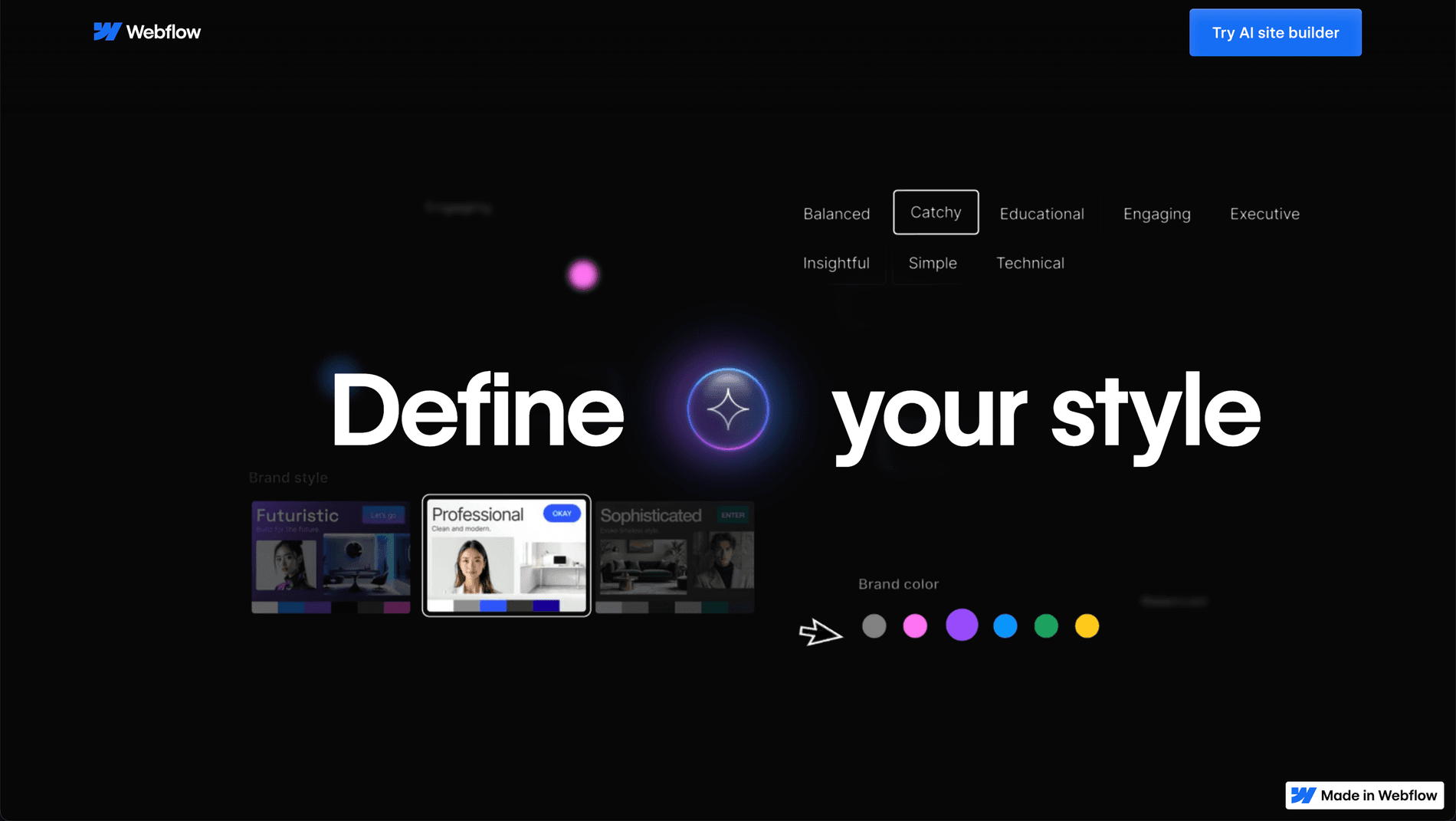
"Define your style" AI Site Builder Webflow
An ultra-fast creation process
With this Webflow site generator, creating a functional base takes just a few minutes. Here’s how it works:
1. Define the project’s needs
It all starts with a series of simple questions: What type of website do you want? A portfolio, a showcase site, a landing page, a blog? The AI analyzes your answers to generate a site that aligns with your goals.
2. Select an AI-generated theme
Once the basic information is set, the AI offers several pre-designed themes. You pick the one that best matches your brand or style. Colors, typography, layout, everything is designed to fit your project.
3. Customize key elements
Where Webflow stands out is in customization. You can easily modify colors, fonts, buttons, and adjust sections as you see fit. But beware: behind this apparent simplicity, the generated code and CSS classes can quickly turn into a real maze.
4. A site built on a solid design system
Unlike other AI site generators, Webflow doesn’t just create a static page. It builds a true design system with variables, components, and a structure ready to evolve. A major plus for those who want to go further… provided they master the tool.
5. The AI Assistant for fine-tuning and publishing
Need a final touch? The Webflow AI Assistant is there to modify sections, add content, and adjust pages. Once you’re satisfied, you can publish your site in one click and take it live.
A powerful tool, but…
The AI Site Builder from Webflow is a major step forward, but unfortunately, it doesn’t do everything. It lays a very solid foundation, but if you want advanced customization and a truly unique site, things can get a bit complicated if you lack Webflow knowledge..
AI-generated sites: limitations to anticipate
The Webflow AI Site Builder is a real breakthrough in website creation. It allows you to lay a solid foundation in record time, without coding or design expertise. It’s the perfect tool for those who want a functional site quickly, with a modern and cohesive design.
But like any automated tool, it has its quirks. Webflow generates an effective site, but advanced editing may require some know-how. For those who want a unique and fully optimized site, expert support can make all the difference. Here are a few points to consider.
A fast and effective base, but one that requires mastery
With AI, Webflow automatically structures your site and generates the necessary styles. It’s a real time-saver. However, the system of classes and styles follows its own logic, which may require a solid understanding of Webflow to modify cleanly.
An automated CSS class system
The AI automatically creates styles and CSS classes to structure the site. This system is powerful and well-designed, but it can seem overwhelming for inexperienced users. With a good grasp of Webflow, it’s entirely possible to tweak it without starting from scratch.
A globally cohesive design
Unlike other AI site generators, Webflow doesn’t just produce isolated blocks. It builds a complete design system with a harmonious color palette, suitable typography, and a modern layout. The result? A visually clean and balanced site, ready for customization.
Adjustments are possible, but mastery of the tool is key
Sites generated with AI are flexible: you can change colors, layouts, add sections… But for more advanced adjustments (custom animations, complex interactions, personalized code integration), it’s best to have a strong command of Webflow.
Three things are, by construction, not set up by automatic generation, and they are precisely the ones that decide search performance. The first is the redirect plan if the site replaces another: every old URL must 301 to its new one, otherwise the traffic you earned disappears. The second is consistency of title tags and meta descriptions page by page, which no theme can guess. The third is internal linking: an AI produces pages, not a link architecture. Documentation: site moves with URL changes.
Why refine your site with human expertise?
The Webflow AI Site Builder is perfect for launching a project quickly. But to get a site that perfectly reflects your brand identity, finer customization is needed.
What remains is deciding what to judge the result on, and three public thresholds keep it out of aesthetic opinion. The Core Web Vitals set an LCP under 2.5 seconds, an INP at or below 200 milliseconds and a CLS at or below 0.1, measured at the 75th percentile of page loads and segmented across mobile and desktop. Add an accessibility criterion usually missing from generated sites: a contrast ratio of at least 4.5:1 for body text. Those four numbers take ten minutes to collect and say objectively what is left to rework. References: Core Web Vitals and the WCAG minimum contrast criterion.
A tailor-made design
An AI-generated site is effective, but it follows predefined templates. A Webflow designer can add a unique touch by refining visual details and adapting each section to the company’s specific needs.
A site that’s easier to evolve
With a well-optimized structure, it becomes simpler to update your site over time. An expert can organize classes and styles in a more structured and intuitive way to avoid unnecessary complexity.
An excellent starting point, to be perfected as needed
The Webflow AI Site Builder is a powerful tool that lets anyone create a site quickly and easily. For those who want an optimized, scalable, and unique site, it’s possible to go even further with the help of Webflow experts.
Test the tool, create a first version, and then call on an agency to refine and optimize your site: this is the ideal combination for a site that’s both quick to launch and perfectly tailored to your needs.
Why hire a Webflow agency after AI generation?
The Webflow AI Site Builder lets you generate a site in minutes. It’s a brilliant advancement for laying the first stone, but it doesn’t do everything. For a site that’s truly optimized, smooth, and high-performing, human expertise remains essential.
Technical expertise and tailor-made optimization
An AI-generated site is a starting point. But a specialized Webflow agency can transform it into a professional-grade site. Here’s what we do at Scroll:
1. Restructure the code for better readability
The AI generates a site with a functional structure, but often chaotic. We clean up and organize the CSS classes, remove unnecessary duplicates, and ensure overall consistency for a scalable and easy-to-manage site.
That work benefits from resting on a published convention rather than in-house habits, if only so another contributor can pick the project up. In the Webflow ecosystem the reference is Client-First, developed by Finsweet: a class naming and organisation system designed for a site's lifetime, with a logic of structure, folders and utility classes. Adopting a known convention turns a one-off cleanup into a transferable asset. Documentation: Finsweet's Client-First.
2. Refine UX and UI
A well-designed site isn’t just about pretty colors. It must deliver a seamless user experience. We adjust spacing, prioritize elements, and optimize navigation so every visitor finds what they’re looking for without friction.
3. Optimize SEO
A site invisible on Google is useless. We optimize HTML tags, content structure, loading speed, and responsiveness to improve your ranking and maximize visibility.
A two-step process for the best value
Want a high-performing Webflow site without breaking the bank? Here’s the best approach:
Phase 1: AI lays the foundations
You use the Webflow AI Site Builder to create a first version of your site. You test different layouts and refine your vision.
Phase 2: An agency finalizes and optimizes
Once the foundation is set, we take over. We optimize the design, structure, SEO, and user experience to make your site truly professional and high-performing.
Your site deserves more than just automatic generation
The Webflow AI Site Builder is a game-changer, but it has its limits. An automatically generated site may lack finesse, personality, and optimization.
The best of both worlds: AI + human expertise
The best approach? Use AI to speed up the process, then entrust optimization to Webflow experts. You save time, cut costs on creation, and end up with a high-performing and unique site.
Turn your AI site into a powerful tool
Don’t let an automatically generated site limit your project. Contact Scroll, your Webflow expert agency, and get a site that lives up to your ambitions.
Tell us about your project today!
Related articles
Sep 22, 2026
Jev: the AI model that decides instead of writing
Launched in September 2026 by TypeSafe AI, Jev does not generate text: it returns typed, calibrated decisions. What it is, what it costs, and three use cases.
Sep 07, 2026
How much does an AI project cost, from POC to production?
The model price is not the point. Where the budget actually goes, how to calculate the API versus dedicated server threshold, and what makes it slip.
Aug 28, 2026
AI Act: what actually applies since 2 August 2026
The Digital Omnibus pushed high-risk obligations to December 2027. What already applies, what was postponed, and what to do in between.